Open Chart Endpoint
GET /v1/open/chart is a public chart render that needs no API key and no
prior POST. Pass a Chart.js config in the URL, get a PNG or SVG back. The
URL itself is everything you need — paste it into a README, a Slack
message, an email preview pane, or a blog post and the chart renders for
every reader.
If you've used QuickChart or Image-Charts, this is the equivalent endpoint on Chartly.
When to use it
| Use case | Endpoint |
|---|---|
| README badge, Slack paste, email preview, demo | GET /v1/open/chart |
| Production app rendering charts for users | POST /v1/chart (with key) |
| Long-lived shareable chart URL | POST /v1/chart/create |
The open endpoint is rate-limited per IP and watermarks every render — fine for demos and embeds, not the right tool for production traffic.
Quickstart
The shortest possible chart URL — paste into a browser:
https://api.chartly.dev/v1/open/chart?type=bar&labels=Jan,Feb,Mar&data=12,19,15
Embed in a README:
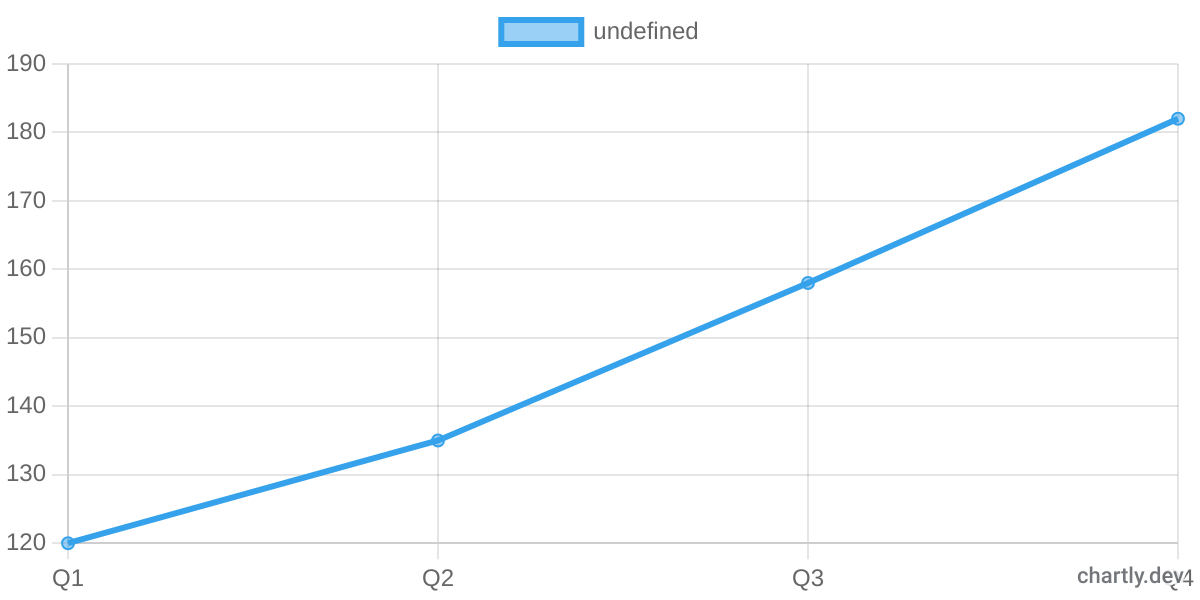
Embed in an HTML email:
<img
  src="https://api.chartly.dev/v1/open/chart?type=bar&labels=Mon,Tue,Wed,Thu,Fri&data=420,510,480,630,710"
  alt="Sessions this week"
  width="600"
  height="300"
/>
Query parameters
| Param | Type | Default | Notes |
|---|---|---|---|
c | URL-encoded JSON | — | Full Chart.js config. Either this or the type shortcut is required. |
type | bar | line | pie | doughnut | — | Shortcut form. Use with data (and optionally labels). |
data | string | — | Comma-separated numbers, e.g. 10,20,30. Required with type. Max 500 points. |
labels | string | — | Comma-separated category labels, paired positionally with data. |
w | integer | 500 | Width in pixels. Capped at 2000. |
h | integer | 300 | Height in pixels. Capped at 2000. |
format | png | svg | png | Output format. |
bkg | CSS colour | white | Background colour. Hex, rgb(…), rgba(…), named colours, or transparent. |
Either c or the type + data shortcut is required. Anything else is optional.
Using the full Chart.js config
For anything beyond simple bar/line/pie, URL-encode a complete Chart.js
config and pass it as c:
curl -G 'https://api.chartly.dev/v1/open/chart' \
  --data-urlencode 'c={"type":"line","data":{"labels":["A","B","C"],"datasets":[{"label":"MRR","data":[12,18,27]}]}}' \
  -o chart.png
The endpoint accepts every Chart.js 4.x chart type — bar, line,
pie, doughnut, radar, polarArea, bubble, scatter.
Rate limit
60 cache-miss renders per hour per IP. Cache hits don't count, so
once a particular URL has been rendered the first time, every
subsequent request — from any viewer — is free. In practice this means
a README badge or a Slack message renders unlimited times for readers
even on the open endpoint.
When the limit is exceeded the response is 429 Too Many Requests
with a Retry-After header.
For higher limits, no watermark, and longer cache TTLs, sign up at
chartly.dev and use POST /v1/chart with an
API key.
Watermark
Every render carries a small chartly.dev mark in the bottom-right
corner. It's drawn into the canvas, not as an overlay, so it can't be
defeated via config options.
To render without the watermark, use the authenticated endpoint
POST /v1/chart (any plan, including the free trial).
Response headers
| Header | Notes |
|---|---|
Content-Type | image/png or image/svg+xml. |
Cache-Control | public, max-age=86400, s-maxage=31536000, immutable. Configs in the URL are content-addressed — same URL always returns the same image. |
X-Edit-Url | A chartly.dev/?import=… link that opens the same chart in the playground. |
Link | Machine-readable form of X-Edit-Url with rel="edit". |
X-Cache-Tier | edge, r2, or miss — useful when measuring your cache hit rate. |
Error responses
| Status | error | When |
|---|---|---|
| 400 | url_too_long | Total URL length exceeds 8 KB. Use POST /v1/chart/create instead. |
| 400 | config_too_large | c parameter exceeds 6 KB. Use the authenticated endpoint. |
| 400 | invalid_config | JSON could not be parsed, type is unsupported, or config contains disallowed values. |
| 429 | rate_limited | Per-IP cap reached. Wait or use an API key. |
| 500 | render_failed | Internal error during chart rendering. |
Security gate
Because the endpoint is unauthenticated, configs are scrubbed before rendering:
- Strings that look like executable code (
function(...), arrow functions,<script>,javascript:URLs,eval(, etc.) are rejected. - Top-level
pluginsarrays are rejected (the common SSRF vector against Chart.js extensions). - Any remote URL outside the
datasubtree is rejected.
If you need any of these features, use the authenticated endpoint
POST /v1/chart.